Sales and purchases
Purchase invoices and returns
Record supplier bills to bring stock in and track what you owe, then send goods back with a purchase return.
A purchase invoice records goods you bought from a supplier. Saving it adds the items to stock, adds any unpaid amount to what you owe the supplier and, with the Accounting module, posts the purchase to your accounts. The form works just like the sale invoice, so this chapter covers the differences.
Record a purchase invoice
- Open Purchase → Invoice and click +.
- Optionally enter the supplier's bill number as the Reference No (numbers only), and check the Date.
- Choose the supplier in Select Supplier, or click + to add one.
- Add each item with its Qty. The Price starts at the item's purchase price; change it to what the supplier charged.
- Add any discounts, then choose the Payment Mode (and Bank).
- In Paid, enter how much you paid the supplier now (0 if you'll pay later).
- Click Save.
- There's no stock check on purchases: any item can be bought in any quantity.
- The unpaid amount is added to the supplier's balance; pay it later from Payable.
- With Update item cost from purchases on, saving the purchase updates each item's Purchase Price to the average cost of your stock, and editing or deleting the purchase undoes it. With it off, the purchase doesn't change the item's cost; update the item yourself if your cost has changed.
- Hold, Print, Edit and Delete work as they do for sale invoices, and an invoice with a return can't be edited or deleted. Held purchase invoices are kept separately from held sales.
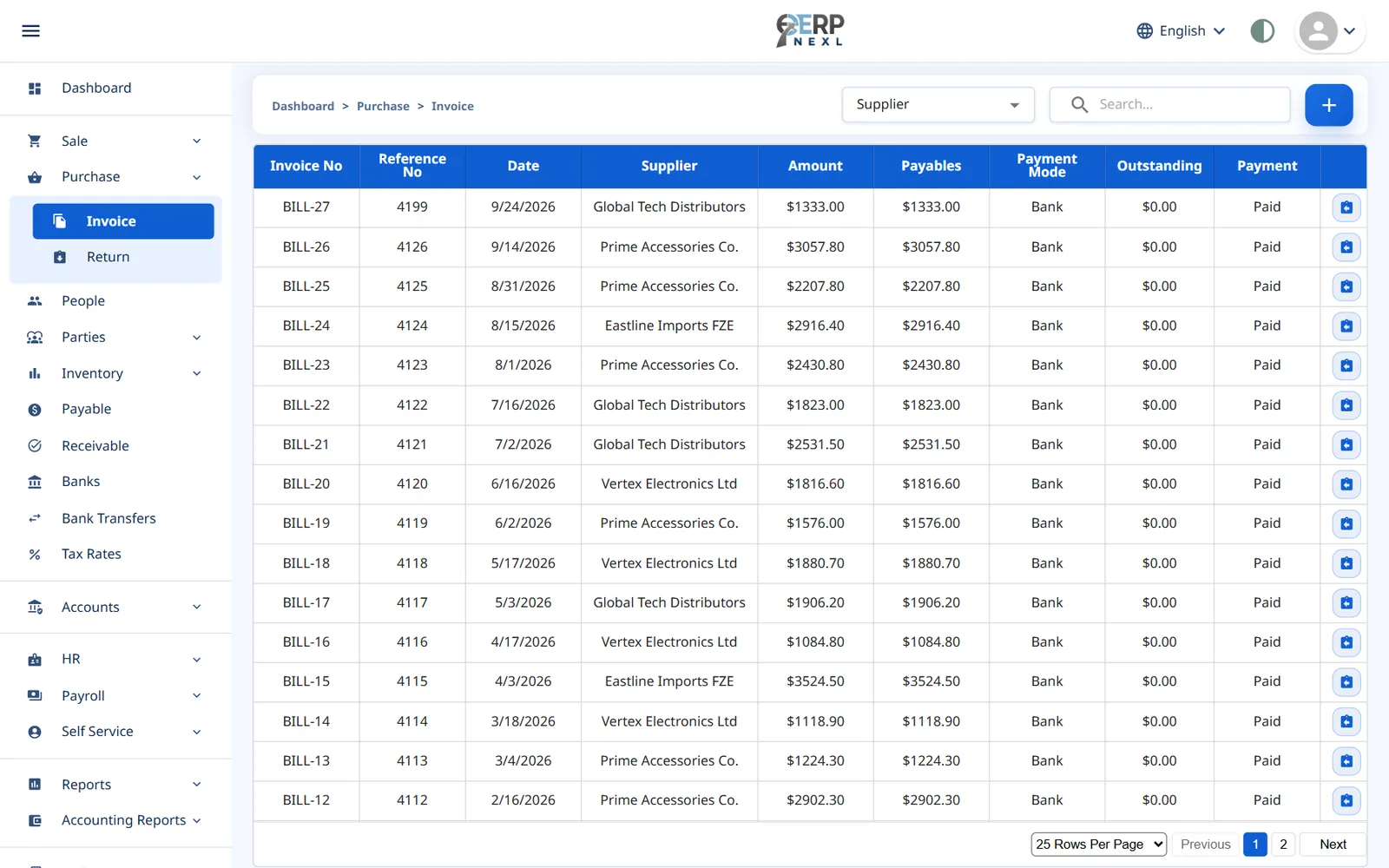
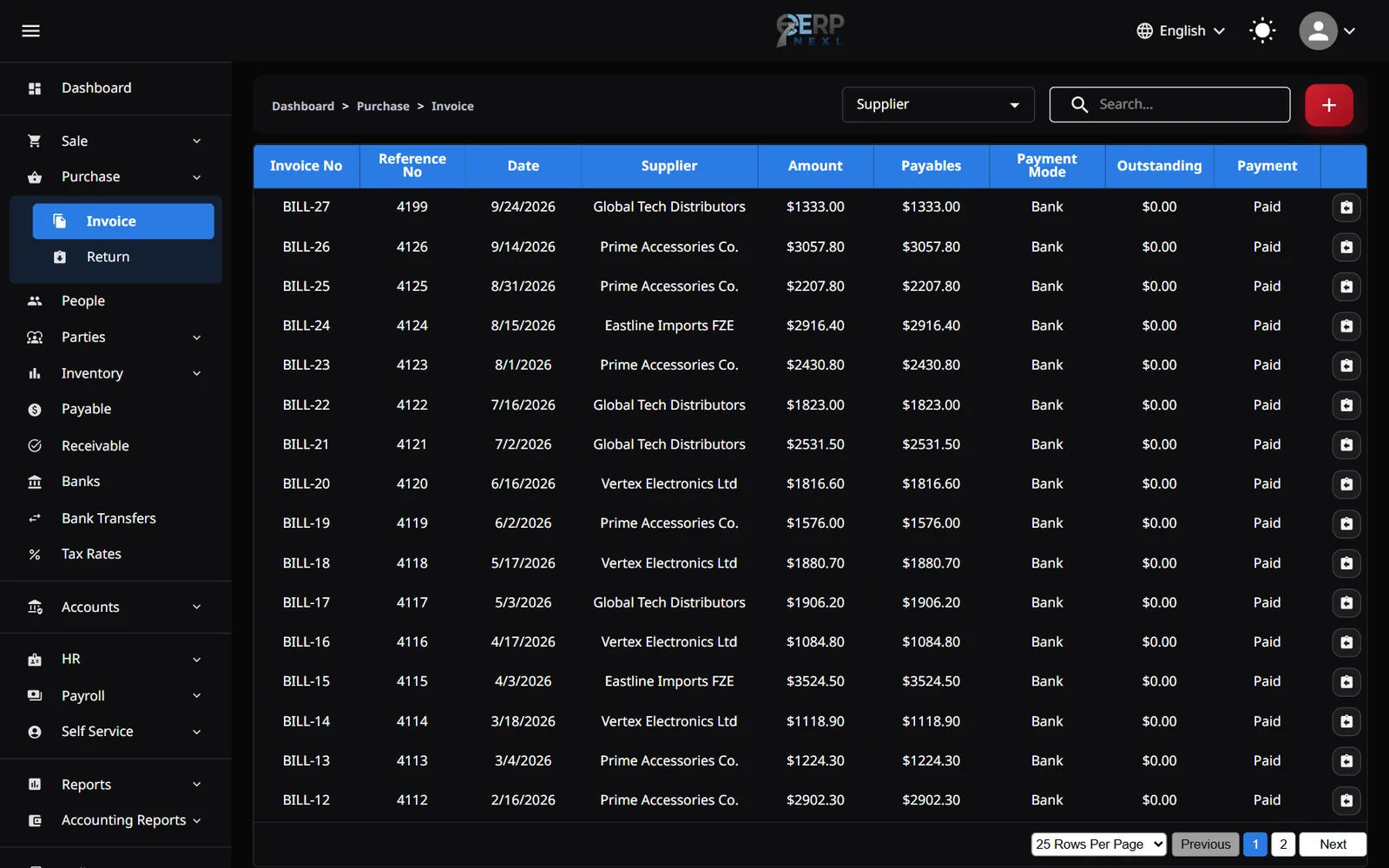
The purchase invoice list shows the Invoice No (with your purchase prefix from Settings), Reference No, Date, Supplier, Amount, Payables, Payment Mode, Outstanding and Payment status, with the same meanings as on the sale invoice list.
Purchase returns
- Click the Return icon on the purchase invoice's row. Or open Purchase → Return, click +, click Fetch Purchase Invoice and pick the invoice.
- Enter the Return Qty for each item you're sending back. You can't return more than you bought, counting earlier returns.
- If the supplier refunds you now, enter the amount in Paid and check the Payment Mode.
- Click Save.
Saving takes the items out of stock and reduces what you owe on that invoice. Like sale returns, a purchase return takes the original invoice's date, can be printed, and can't be edited or deleted.
Need the whole guide offline? Can’t find an answer? Contact us.
Download PDF4.0 MB · 95 pages