Accounting software in Pakistan
Accounting software in Pakistan for businesses that buy, sell and stock
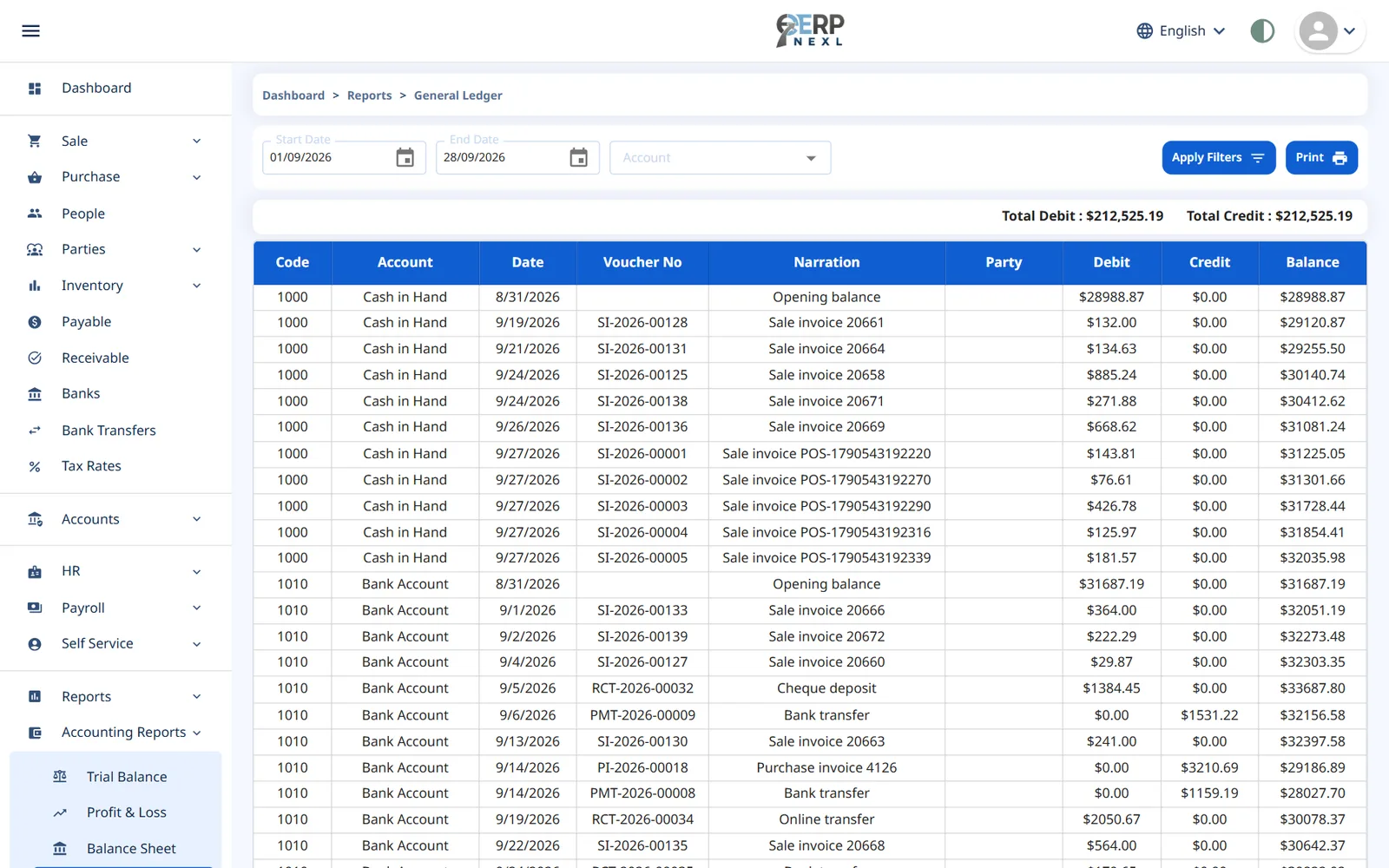
Keep proper double-entry books in rupees without typing every sale twice. Invoices, receipts, purchases and payments post to the ledger automatically, so your trial balance, profit and loss and balance sheet are always up to date.
Key capabilities
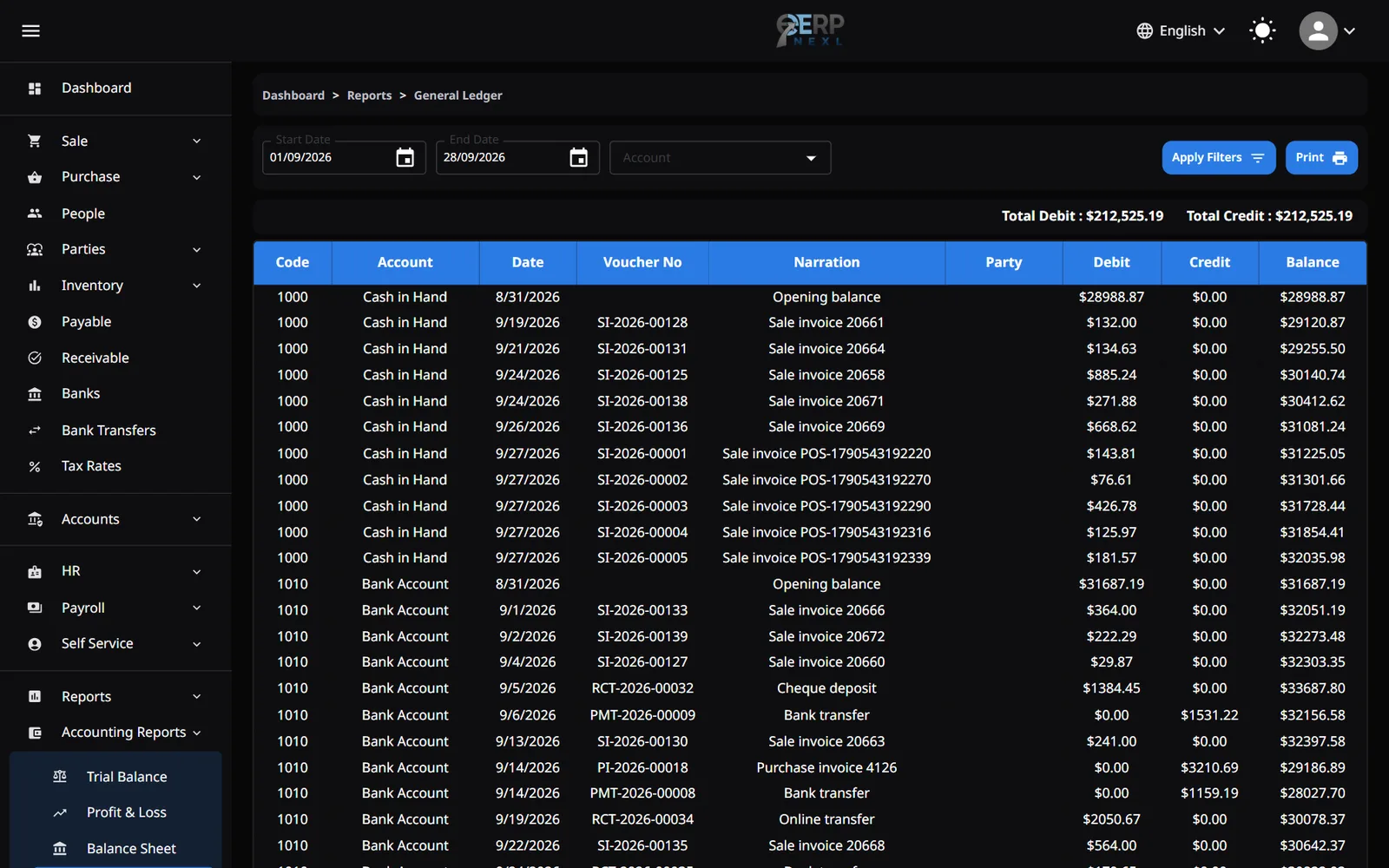
Double-entry ledger
A chart of accounts, journal entries and a general ledger, with every transaction balanced.
Automatic posting
Sales, purchases, returns, receipts and payments post to the ledger as you record them.
Receivables & payables
Aged receivables and payables, and party statements for every customer and supplier.
Banks & reconciliation
Track each bank account and reconcile it against your statement.
Sales tax report
Tax is recorded on every invoice line, ready for the tax report at period end.
Financial statements
Trial balance, profit and loss and balance sheet whenever you need them, with periods you can lock.
Made for small businesses in Pakistan
Udhaar under control
Receipts are matched to the invoices they pay, so every customer's balance, and who is overdue, is always clear.
Sales tax your way
Set up the sales tax rates you charge, as inclusive (already in the price) or exclusive (added on top).
Cash and bank side by side
Record your bank accounts, cash-to-bank transfers and payments by cash or bank, each with its own ledger.
Your accountant gets a login
Users are unlimited, so your accountant can have their own login with only the permissions they need.
From register books to live accounts
Many small businesses in Pakistan keep their accounts the traditional way: sales in a register, purchases in a file, customer balances in a khata, and an accountant who puts it all together at the end of the year. The books end up correct eventually, but nobody knows the real position in between, and every year-end starts with a pile of reconciling.
ERP Nexl's accounting module works the other way round. The documents you already create, such as sales invoices, purchase bills, receipts and payments, are posted to a proper double-entry ledger as you save them. Your accountant reviews and adjusts the books rather than typing them up, and you can see profit, receivables and bank balances whenever you want.
What it doesn't do: ERP Nexl does not file tax returns or connect to FBR. It records the sales tax on every invoice and gives you a tax report, so you or your accountant have the figures ready when it's time to file.
Built for
- Traders, wholesalers and shops that sell on credit
- Owners who want to see profit and receivables without waiting for year-end
- Businesses that work with an outside accountant
- Teams moving from register books or spreadsheets
Frequently asked questions
Does ERP Nexl file tax returns or connect to FBR?
No. ERP Nexl records the sales tax on each invoice and gives you a tax report for the period, but it does not file returns or connect to FBR's systems.
Can I keep my accounts in rupees?
Yes. New companies start in rupees (Rs), so invoices, statements and reports show rupees from day one.
Do my invoices show our NTN and STRN?
Yes. Add your NTN and STRN to your company profile and they print in the header of every invoice, return and note.
Can my accountant use it too?
Yes. ERP Nexl includes unlimited users, so you can give your accountant their own login and choose exactly which pages they can see and change.
Is the accounting software available in Urdu?
Yes. The workspace is available in Urdu, with a right-to-left layout, as well as English and Arabic.
Do I need the other modules?
Accounting is its own module. Add it to Sale & Purchase and your invoices and purchases post to the ledger automatically. Prices are per month in Pakistani rupees; see the pricing page.
Related reading
Inclusive vs Exclusive Sales Tax: How to Price and Invoice Correctly
Inclusive vs exclusive sales tax with worked rupee examples: the formulas, the common mistake that overstates tax, rounding, discounts and which to use.
What Is Double-Entry Bookkeeping? Debits and Credits Explained
Double-entry bookkeeping in plain English: debits and credits, six worked examples, and how they become your trial balance, P&L and balance sheet.
Explore more
Accounting & Finance
Keep proper books without the spreadsheet gymnastics.
Inventory Software in Pakistan
Track every item you buy and sell in one place.
Payroll Software in Pakistan
Record attendance and leave, set each employee's salary structure and run payroll in rupees, with payslips your staff can see for themselves.
Try ERP Nexl free
Set up your company in minutes and pay only for the modules you need.