POS software in Pakistan
POS software for shops in Pakistan, in English or Urdu
Ring up counter sales with a barcode scanner, print an 80 mm receipt in rupees and let every sale update your stock. ERP Nexl runs in the browser, so there is nothing to install, and your staff can work in Urdu or English.
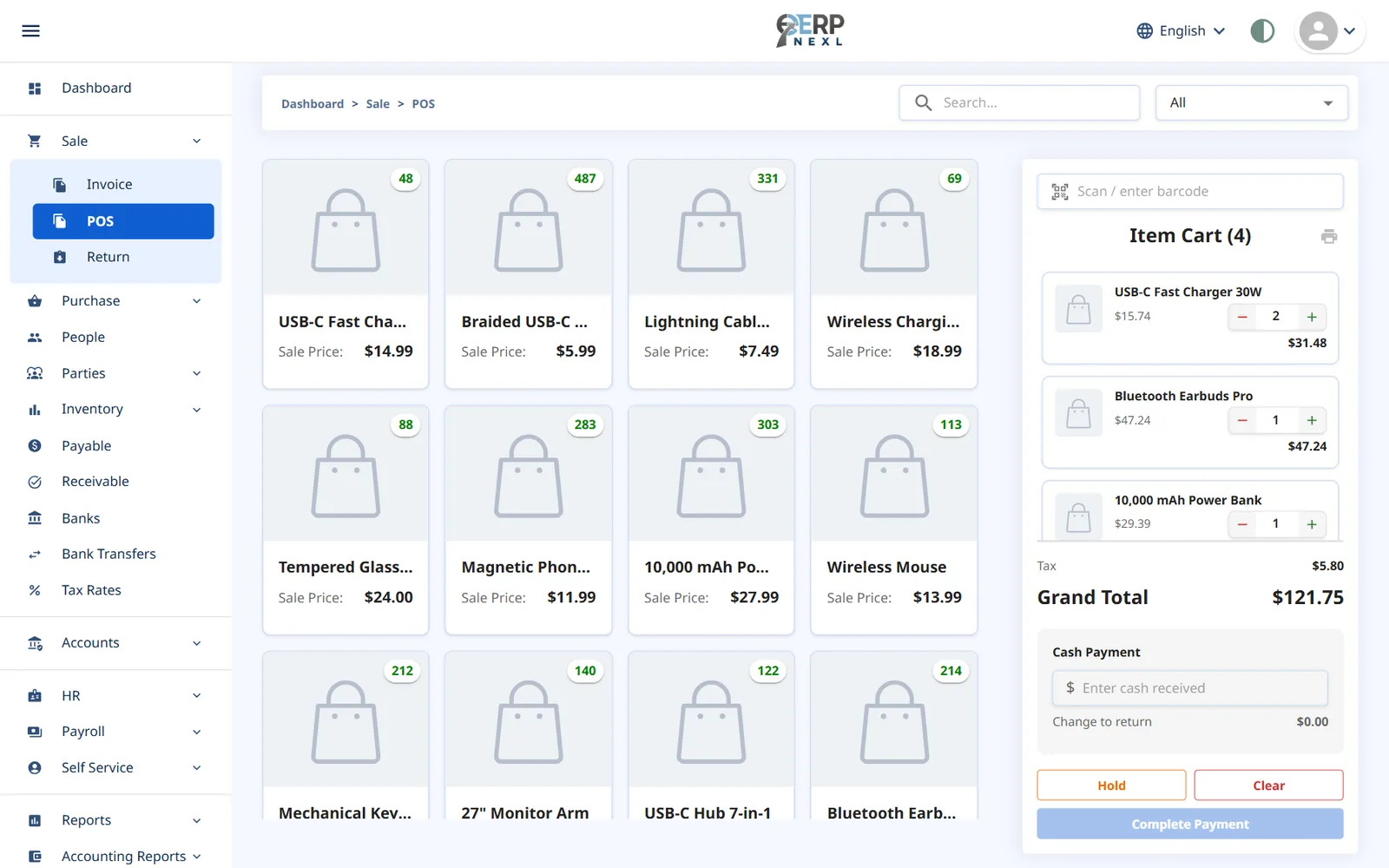
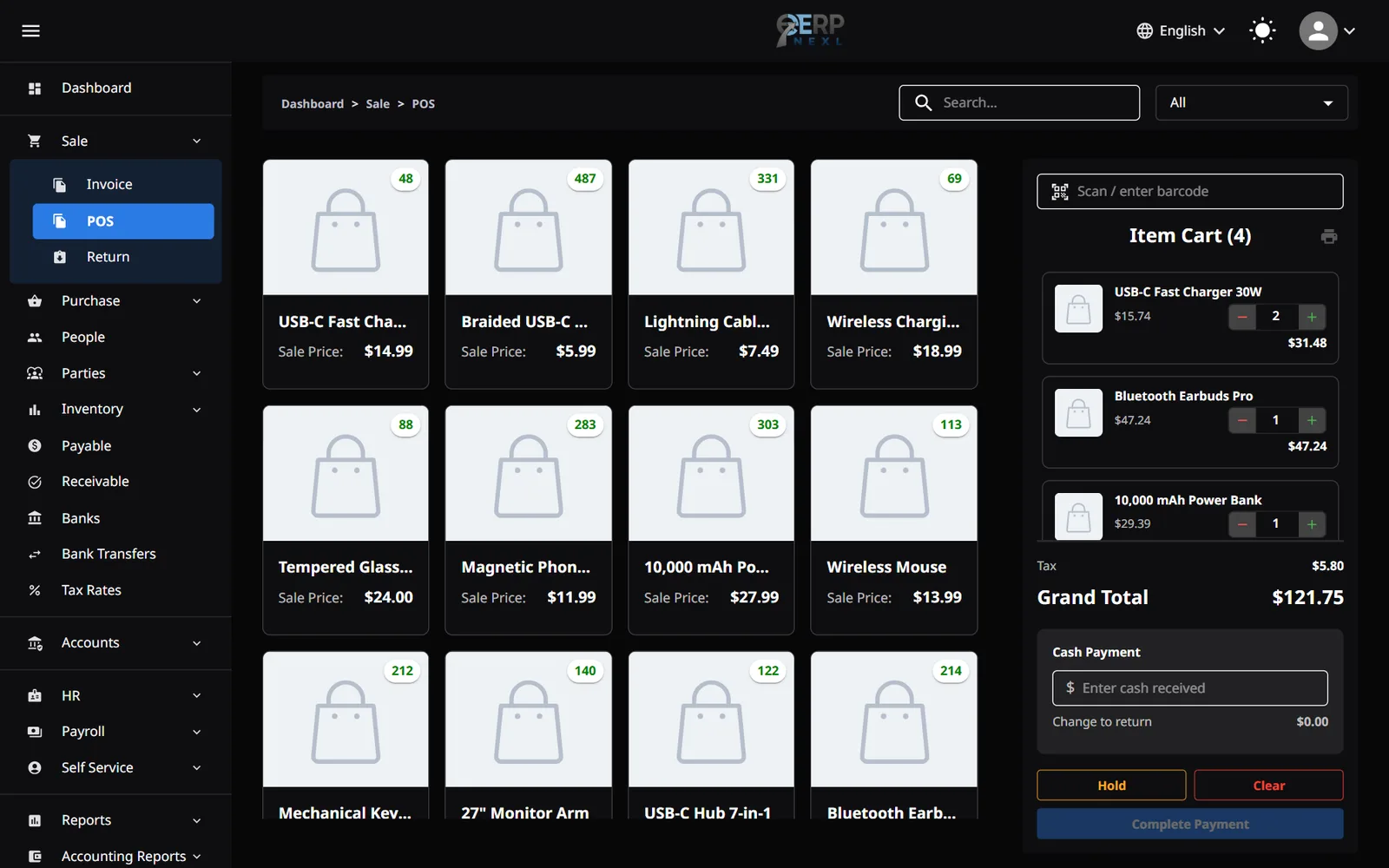
Key capabilities
Barcode scanning
Plug in a USB barcode scanner and add items in a scan, or search for them by name.
Hold & resume sales
Park a sale while a customer fetches one more item, serve the next person, then pick it up again.
Sales tax on every line
Each item carries its tax rate, inclusive or exclusive, and the receipt shows the tax line by line.
Cash & change
Enter the cash received and the POS works out the change, even at a busy counter.
80 mm receipts
Print thermal receipts with your logo and tax lines, and reprint the last one if a customer asks.
Stock that keeps up
Every counter sale reduces stock straight away and, with the accounting module, posts to your ledger.
Made for shops in Pakistan
Urdu or English
Staff can switch the whole workspace to Urdu, with a right-to-left layout, or keep it in English.
Rupees and your NTN on receipts
Amounts show in rupees from day one, and your NTN and STRN print on receipts and invoices once you add them to your company profile.
Priced in rupees, not per cashier
Plans are priced per module in Pakistani rupees, with unlimited users, so a new cashier costs nothing extra.
Counter and credit customers together
Cash sales at the counter and invoiced account customers land in the same sales records and the same stock.
What to look for in a POS system in Pakistan
Plenty of shops in Pakistan still run on a cash drawer, a register book and a stock list that is updated when someone has time. It works until the stock count stops matching the shelf, or the register says one thing and the cash says another. A POS system fixes that by making the sale itself the record: scan the item, take the cash, and the stock and sales figures update in the same moment.
When you compare POS systems, check four things. Does it update stock on every sale and return, or only keep a list of receipts? Does it handle the way you actually charge sales tax, whether that's already inside the shelf price or added at the till? Can your staff use it in the language they are most comfortable with? And what will it cost once you add a second counter or a new cashier?
ERP Nexl's POS is part of a complete ERP, so the counter is connected to purchasing, invoicing for account customers and, if you add it, accounting. It is cloud-based, which means the counter needs an internet connection. A mobile hotspot makes a good backup if your line goes down.
One honest limit: ERP Nexl does not connect to FBR. Retailers that are required to integrate their POS with FBR, such as Tier-1 retailers, need an FBR-connected system. ERP Nexl is built for the many shops that aren't in that group.
Built for
- General stores and kiryana shops
- Hardware, electrical and paint shops
- Stationery, book and gift shops
- Shops that sell over the counter and to account customers
- Owners who want the till, the stock and the books to agree
Frequently asked questions
Is ERP Nexl's POS integrated with FBR?
No. ERP Nexl does not connect to FBR's systems. If your business is required to integrate its POS with FBR, for example as a Tier-1 retailer, you need an FBR-integrated POS instead.
Can my staff use the POS in Urdu?
Yes. The whole ERP Nexl workspace, including the POS, is available in Urdu with a right-to-left layout, as well as in English and Arabic.
Will prices and receipts show rupees?
Yes. New companies start with Rs as the currency, so the POS screen, printed receipts, invoices and reports all show rupees. You can change the symbol in Settings.
Can receipts show my NTN and STRN?
Yes. Add your NTN and STRN to your company profile and they print on POS receipts, invoices, returns and notes.
Does it work without the internet?
No. ERP Nexl runs in the cloud, so each counter needs an internet connection. Many shops keep a mobile hotspot as a backup.
What hardware do I need?
A computer with a modern web browser. A USB barcode scanner and an 80 mm thermal receipt printer are optional but make the counter much faster.
How much does POS software cost?
The POS is part of ERP Nexl's Sale & Purchase module, priced per month in Pakistani rupees with unlimited users. Longer plans cost less per month, and you can try it free for a month without a card. See the pricing page for current prices.
Related reading
Inclusive vs Exclusive Sales Tax: How to Price and Invoice Correctly
Inclusive vs exclusive sales tax with worked rupee examples: the formulas, the common mistake that overstates tax, rounding, discounts and which to use.
How to Manage Credit Customers (Udhaar) and Get Paid on Time
A practical guide to selling on credit: agree terms, invoice every credit sale, match payments to invoices, review who is overdue each week, and follow up.
Explore more
Try ERP Nexl free
Set up your company in minutes and pay only for the modules you need.