POS software
POS software that turns every sale into clean, connected records
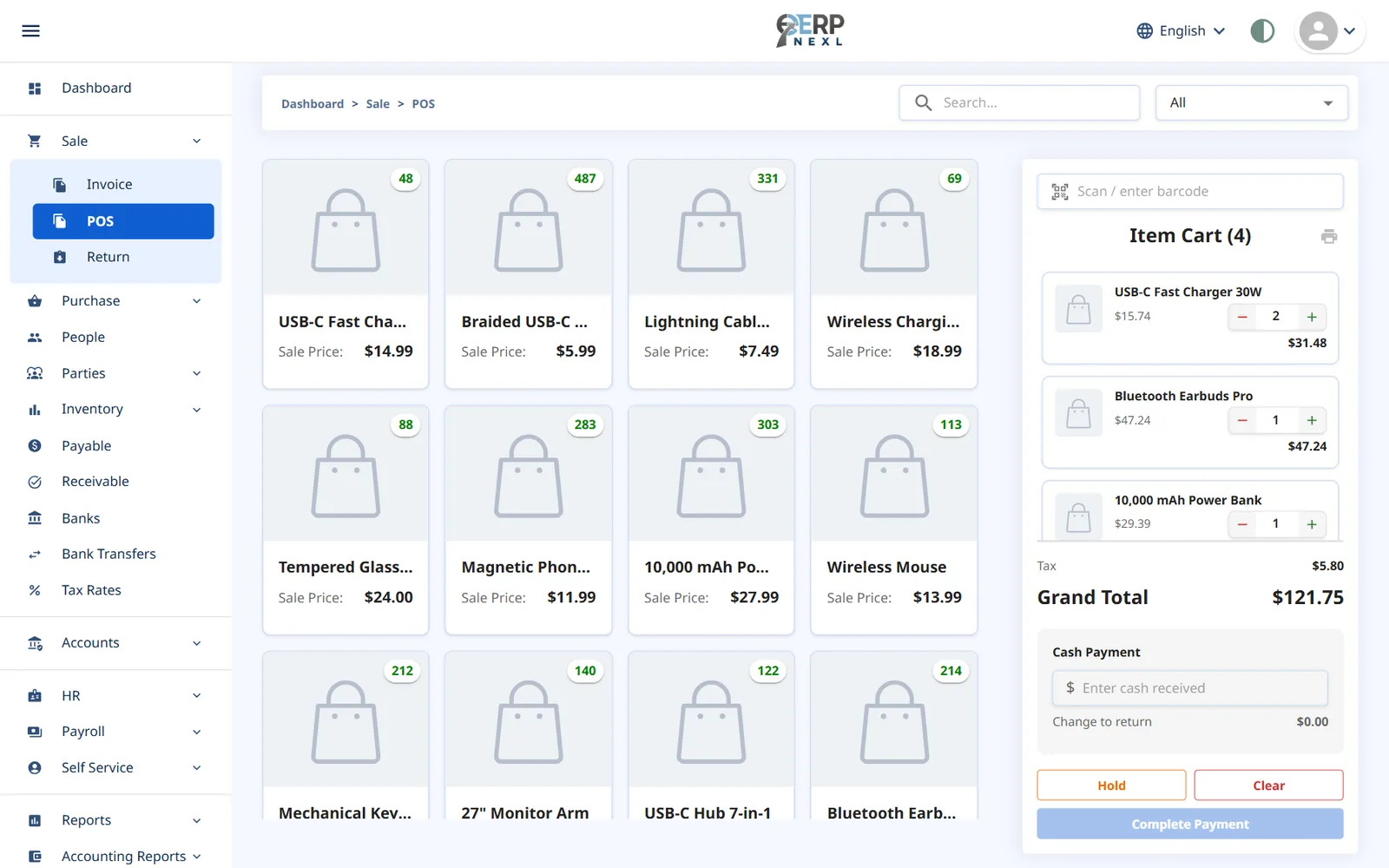
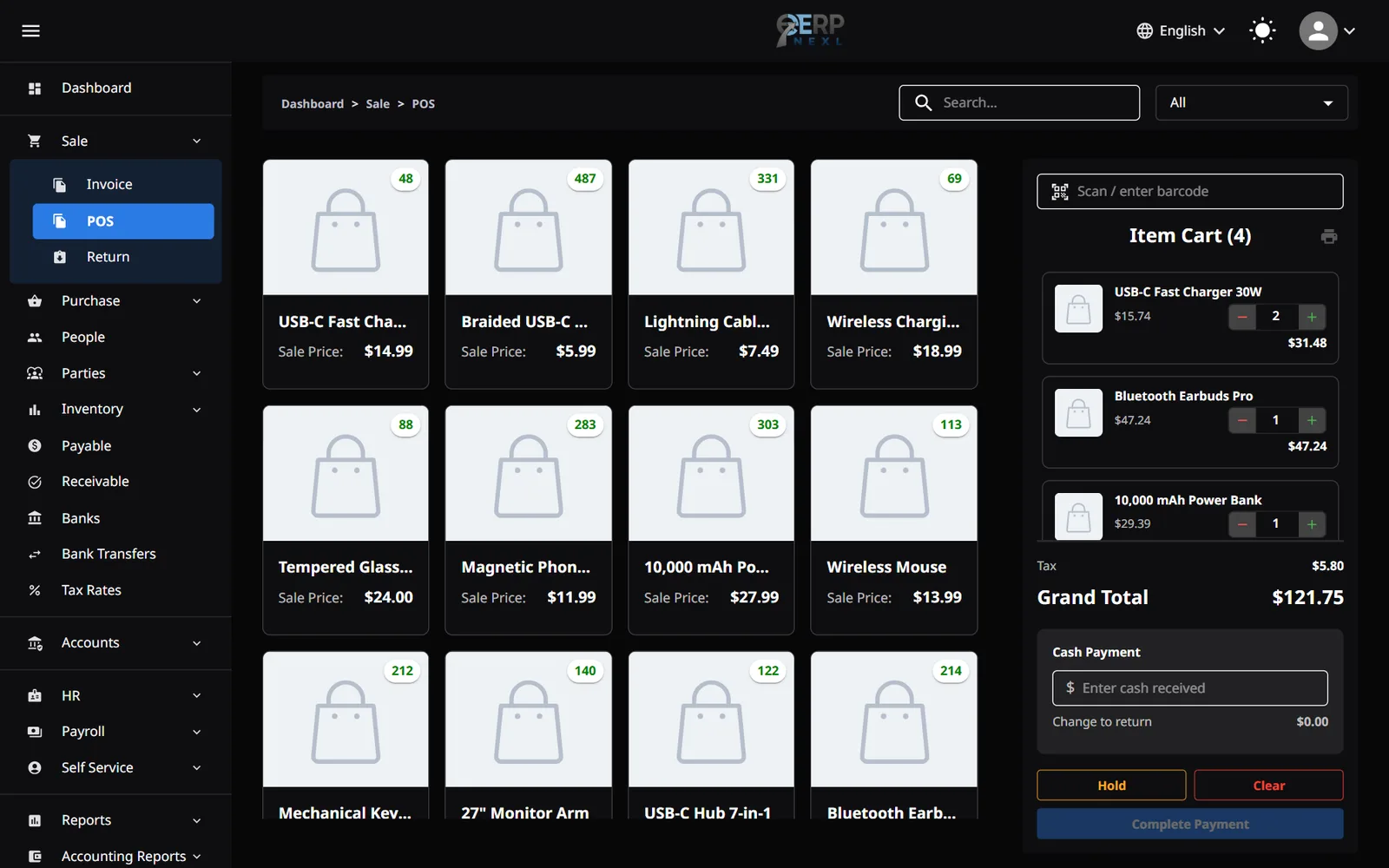
Ring up sales quickly at the counter, print a receipt and move on to the next customer. Every sale in ERP Nexl updates your stock and your books automatically, so the numbers match at the end of the day.
Key capabilities
Barcode scanning
Plug in a USB barcode scanner and add items in a scan — or search for them by name.
Hold & resume sales
Park a sale while a customer fetches one more item, serve the next person, then pick it up again.
Automatic tax
Each item's tax rate is applied for you and shown line by line on the receipt.
Cash & change
Enter the cash received and the POS works out the change — no mental maths at a busy counter.
Thermal receipts
Print 80 mm receipts with your logo and tax lines, and reprint the last receipt if a customer asks.
Connected to stock & accounts
Every POS sale reduces stock immediately and, with the accounting module, posts to your ledger.
A POS system that doesn't live on an island
Many small businesses run a standalone till, a separate stock sheet and an accountant's spreadsheet — and spend hours every month making the three agree. A connected POS system removes that reconciliation work: the sale you ring up is the same record that reduces stock and posts to your accounts.
ERP Nexl's point of sale sits on top of the same data as inventory, invoicing and accounting. Counter sales and account customers' invoices land in the same sales records, returns put stock back where it belongs, and your sales reports and dashboard show today's takings the moment they happen.
Because it's cloud-based, you can check today's sales from anywhere and add another counter without installing anything.
Built for
- Retail shops and counters that need fast, accurate checkout
- Shops using a barcode scanner and a thermal receipt printer
- Businesses that mix counter sales with invoiced account customers
- Owners who want sales, stock and accounts to agree automatically
Frequently asked questions
What is POS software?
POS (point of sale) software records sales at the moment they happen — scanning items, applying prices and taxes, and issuing a receipt. Modern POS software also updates stock and accounts automatically.
Does the POS update my inventory?
Yes. Every sale and return in ERP Nexl adjusts stock immediately, so your inventory always reflects what you've actually sold.
Does it work with a barcode scanner and receipt printer?
Yes. A standard USB barcode scanner works out of the box, and receipts are formatted for 80 mm thermal printers.
Can I handle returns?
Yes. A sales return puts the items back into stock and adjusts the sale in your records.
Do I need to install anything?
No. ERP Nexl is cloud-based and runs in the browser, so you can use it on any device with an internet connection.
Related reading
How to Choose Inventory Management Software: A Practical Checklist
How to choose inventory management software: the main types, must-have features, questions to ask, mistakes to avoid and how to move off spreadsheets.
Cloud Accounting vs Spreadsheets: When Should a Small Business Switch?
Spreadsheets work for bookkeeping until they don't. Where they break, how double-entry accounting software helps, and how to switch cleanly.
Explore more modules
POS Software in Pakistan
Ring up counter sales with a barcode scanner, print an 80 mm receipt in rupees and let every sale update your stock.
Inventory Management
Know exactly what you have, what's selling and what to reorder.
Invoicing & Billing
Create a clean, professional invoice in seconds — with the right prices, discounts and taxes — and let ERP Nexl do the rest: stock goes down, the customer's balance goes up and, with accounting switched on, the entry lands in your ledger.
Try ERP Nexl free
Set up your company in minutes and pay only for the modules you need.