Accounting
Accounting reports
Read your trial balance, profit and loss, balance sheet, ledgers, aged balances, party statements and tax report, and print any of them.
Running an accounting report
- Open Accounting Reports and choose a report.
- Set the Start Date and End Date, or the As of Date for reports that show a position on one day (Balance Sheet, Aged Receivable, Aged Payable and FX Revaluation).
- Use the report's extra filter if it has one (an account, a party, a voucher type, a tax rate or a cost centre), then click Apply Filters.
- Read the totals above the table, or click Print for a printout with your company header (choose Save as PDF in the print window to keep a copy).
Reports open with the last date range you used, shared with the business reports. Draft journal entries are never included.
Trial Balance
Every account with its total Debit and Credit, and a Difference that should always be 0. With a Start Date, it shows the movement during the period; clear the Start Date to see balances as at the End Date.
Profit & Loss
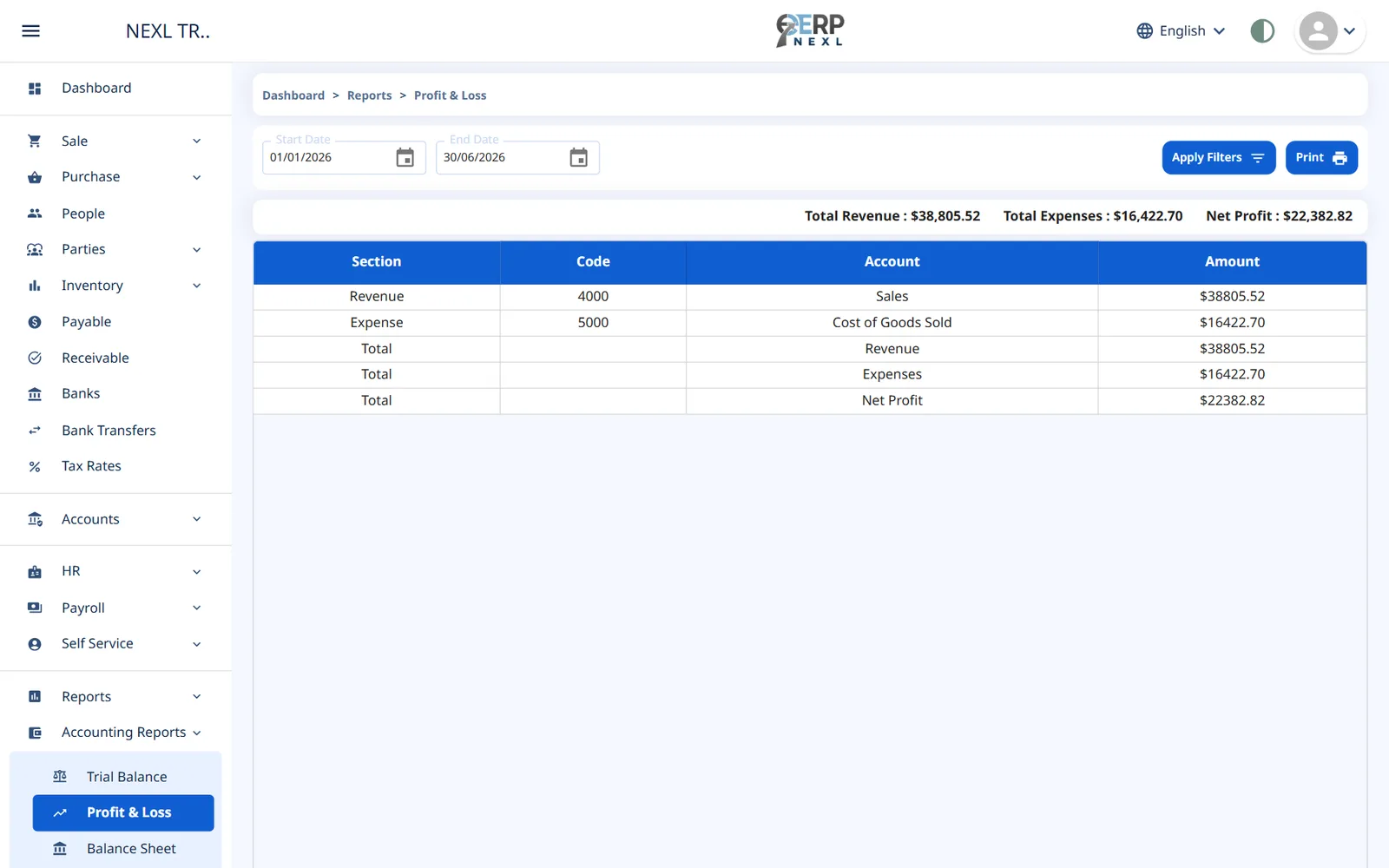
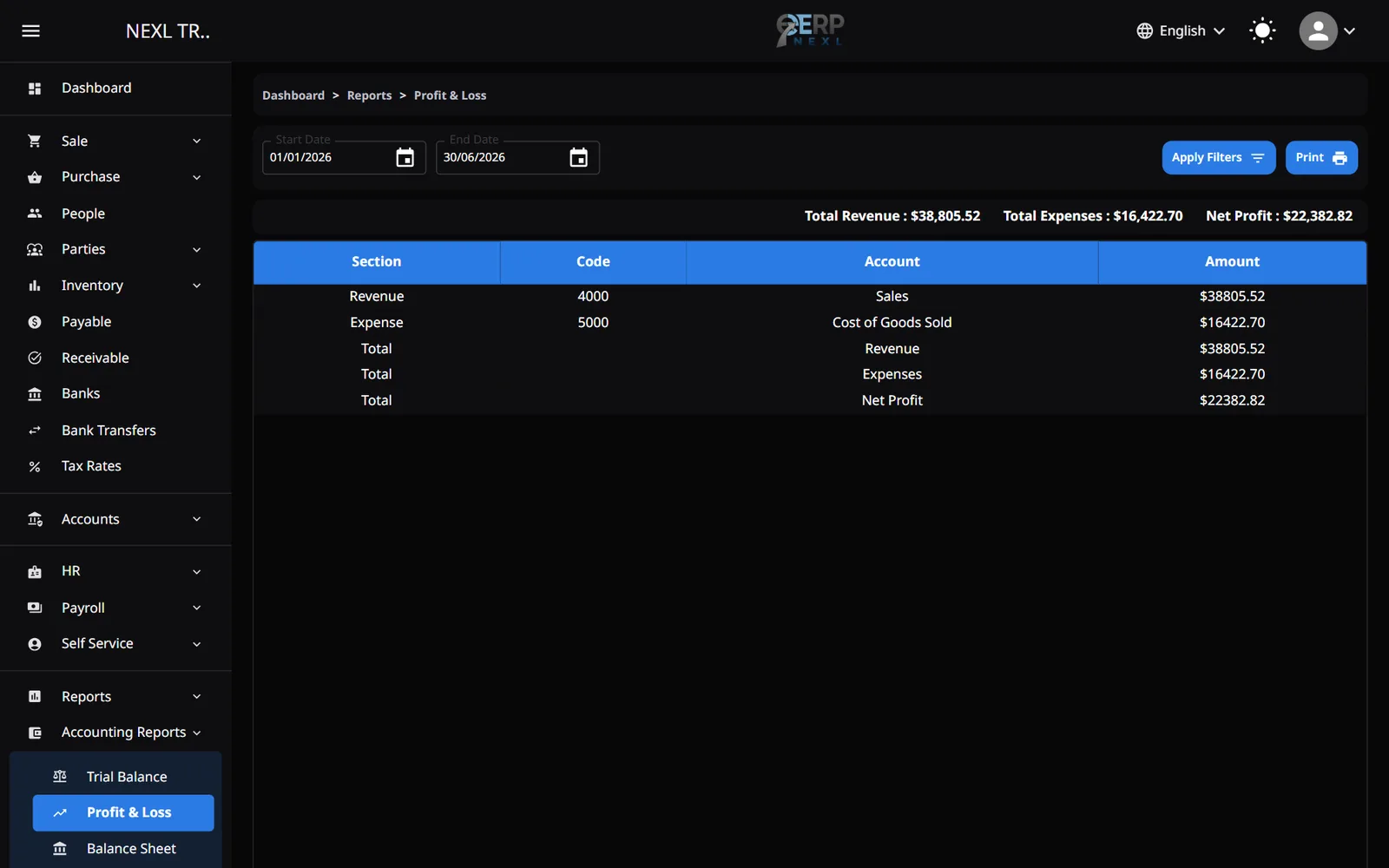
Revenue and expense accounts for the period, with Total Revenue, Total Expenses and Net Profit. Sales returns show as negative revenue. A year's closing entry doesn't affect it, so a closed year still shows its results.
Balance Sheet
What the business owns and owes on the As of Date: assets, liabilities and equity, with Total Assets and Total Liabilities & Equity, which should match. Profit not yet closed into Retained Earnings shows as Current Period Earnings under equity.
General Ledger
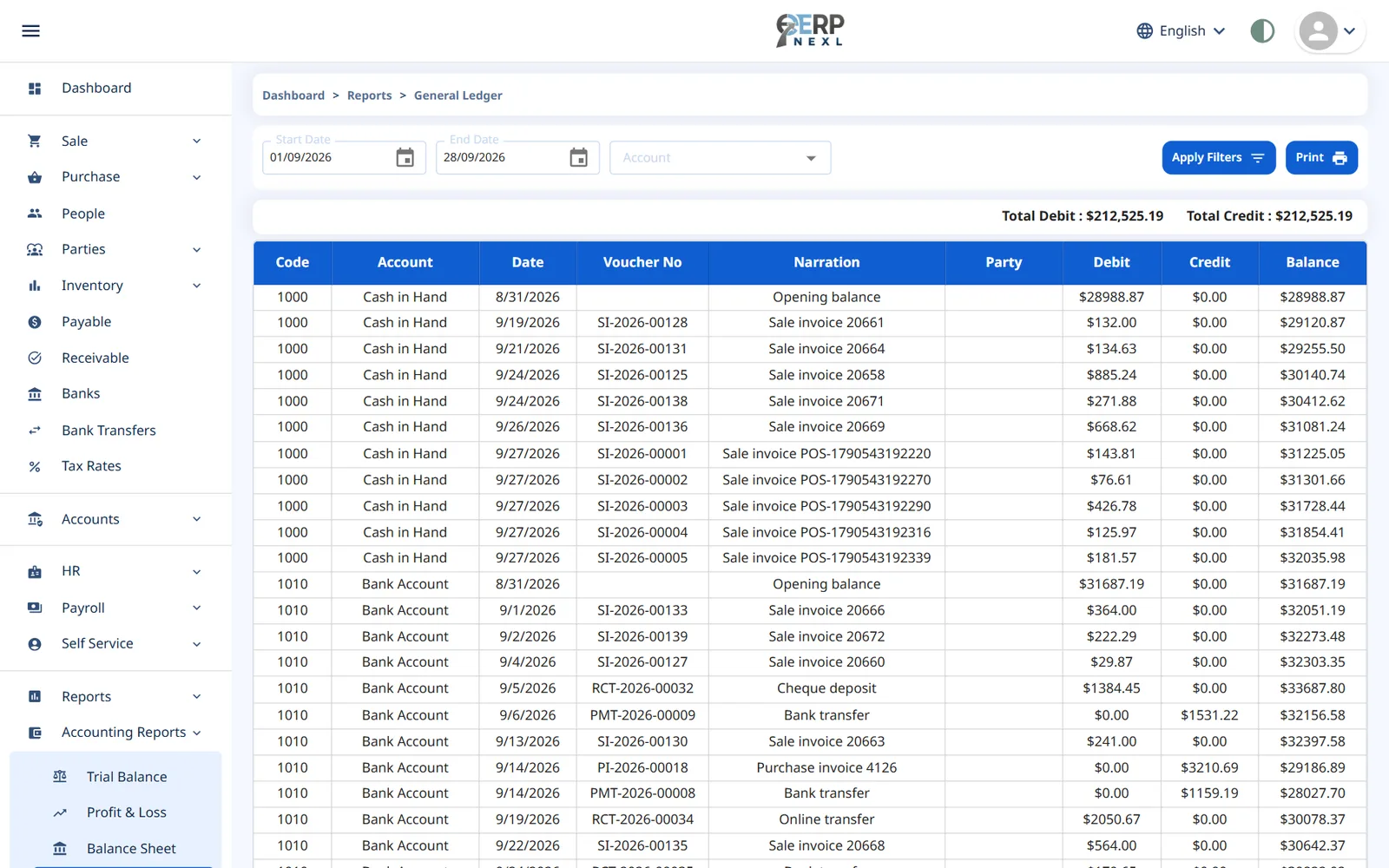
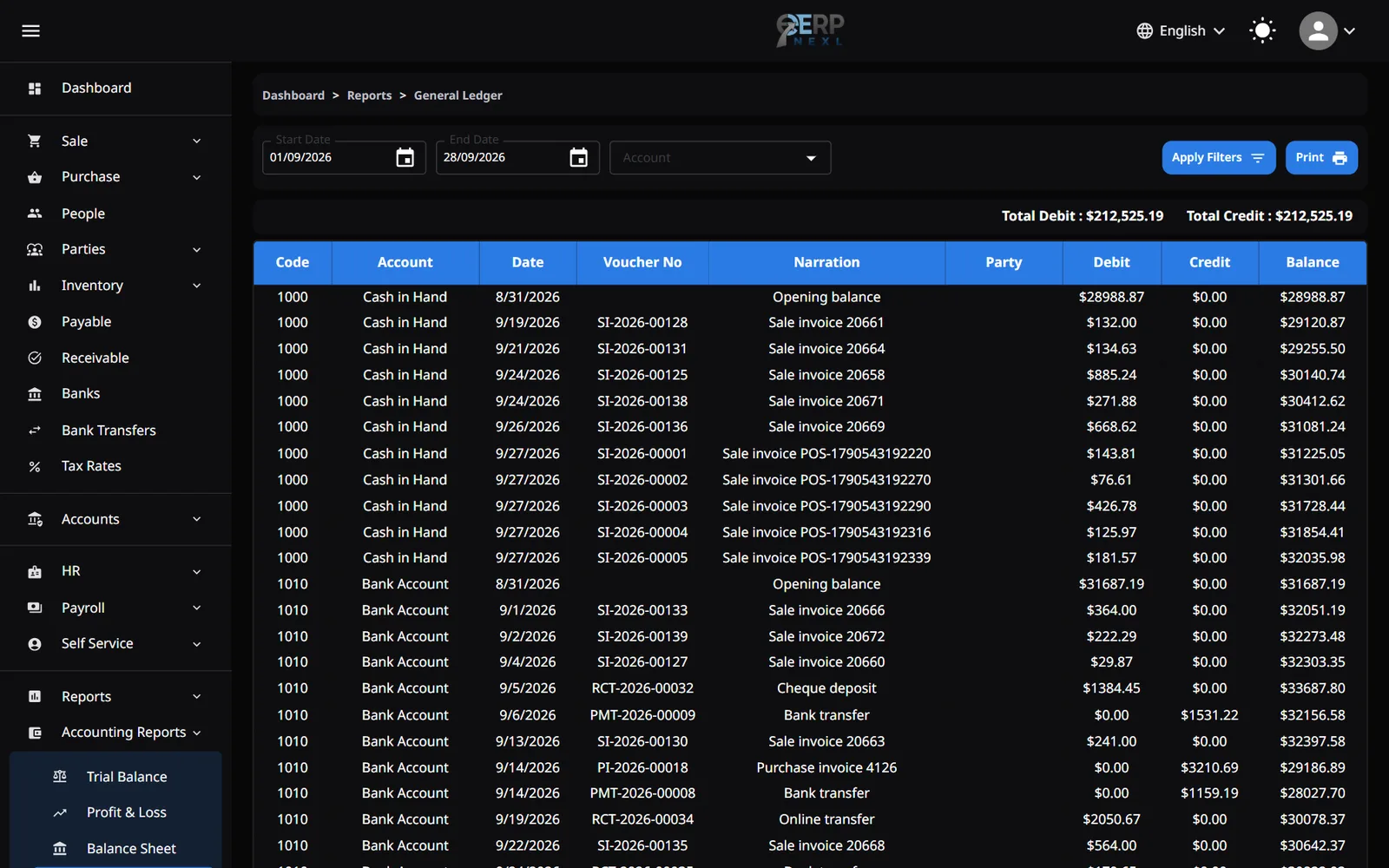
Every entry in each account, with the Date, Voucher No, Narration, Party, Debit, Credit and a running Balance, starting from an Opening balance line. Filter by Account to see one account. Balances are debits minus credits, so accounts like Sales and Accounts Payable show negative balances.
Day Book
One line per voucher in date order: Voucher No, Type, Status, Narration, the Accounts involved and the Amount. Filter by Type to see only sales, purchases, receipts and so on. Handy for checking a day's work.
Aged Receivable and Aged Payable
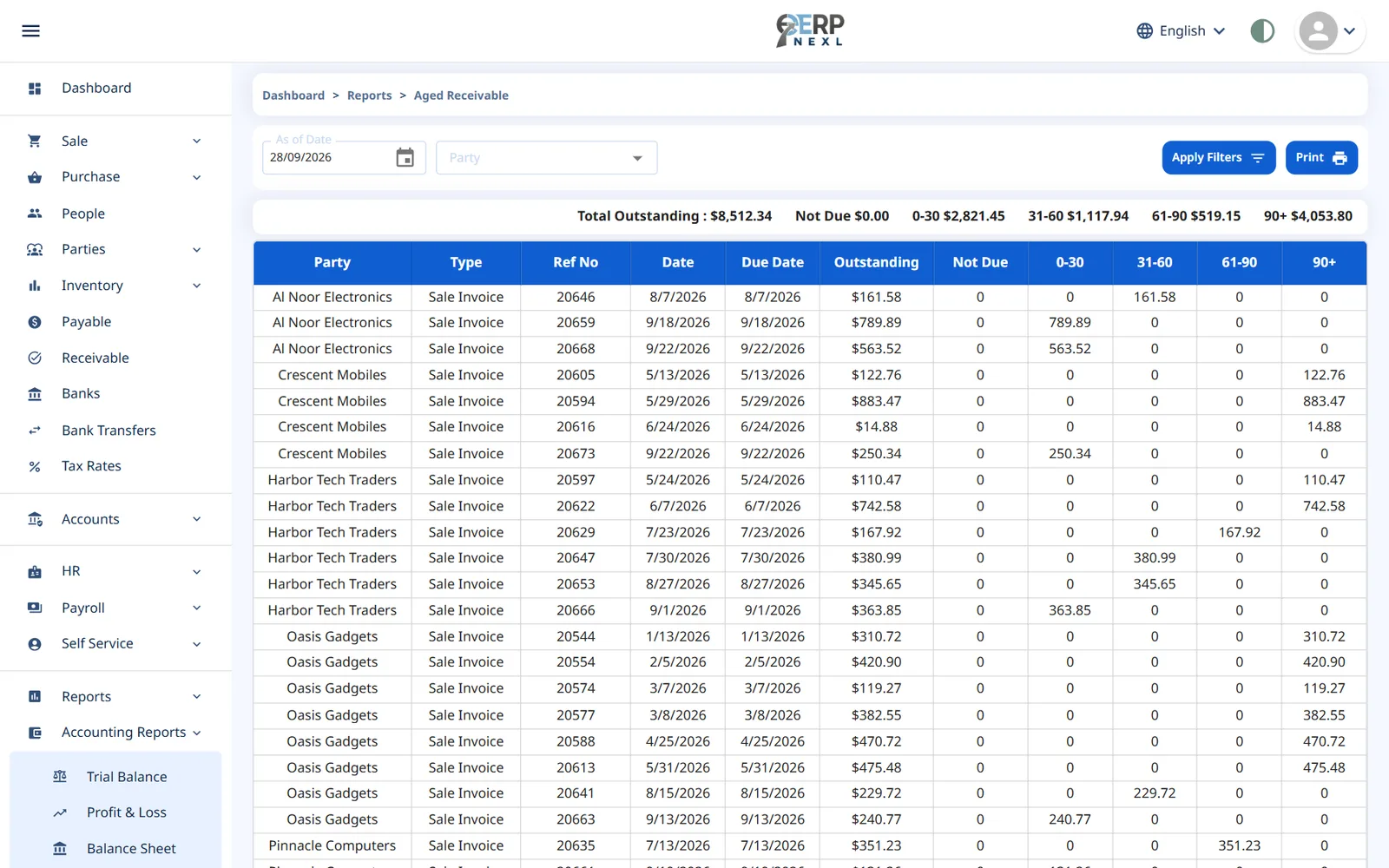
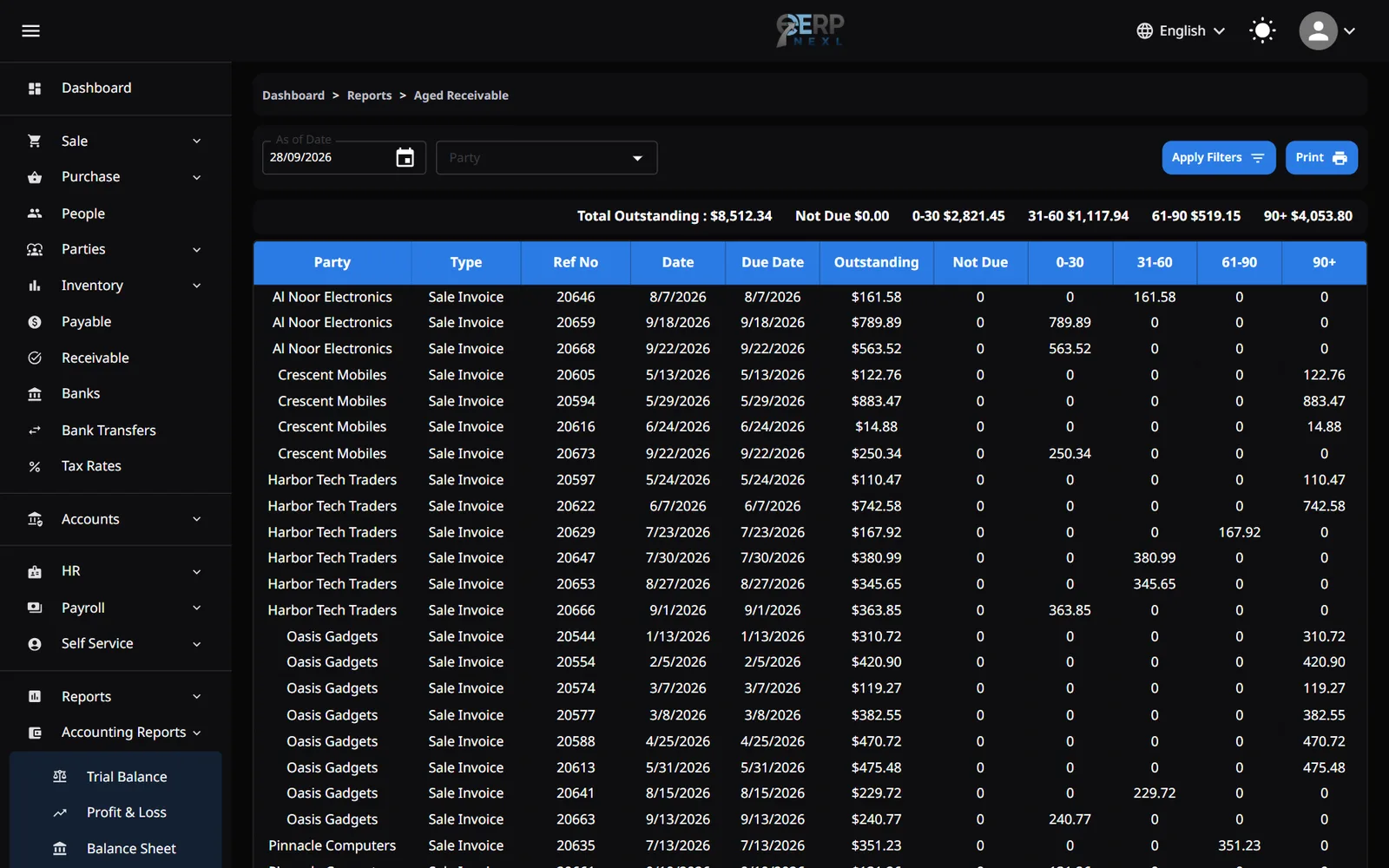
Who owes you (or whom you owe) on the As of Date, invoice by invoice, split by how long each has been unpaid: Not Due, 0-30, 31-60, 61-90 and 90+ days. Filter by Party to see one customer or supplier.
- Invoices age from their invoice date, because invoices don't have due dates.
- Receipts and payments that aren't applied to an invoice, and notes that reduce a balance, show as negative Not Due lines. Apply receipts and payments to invoices to keep the report tidy.
- A party's opening balance shows as an Opening Balance line in the 90+ column.
Party Statement
A customer's or supplier's statement for the period: an Opening balance line, then every document with its Debit, Credit and running Balance. A positive balance means they owe you; a negative one means you owe them. Choose the Party, then print it to send.
Tax Report
Tax for the period by tax rate: Output Tax (Sales) on sales, Input Tax (Purchases) on purchases, and Net Tax Due, the difference. Each row shows the Taxable Amount and the Tax. Returns are subtracted. Debit and credit notes aren't included because they don't carry tax.
FX Revaluation
Compares balances held in foreign currencies at the rates they were booked at with their value at the exchange rate on the As of Date. Because documents are recorded in your own currency, this report is normally empty.
Cost Centre P&L
The Profit & Loss for one cost centre. Choose the centre and the dates; All cost centres gives the whole company. Only entries tagged with exactly that centre are included.
Need the whole guide offline? Can’t find an answer? Contact us.
Download PDF4.0 MB · 95 pages